HUNGER How to Invite Friends, Form a Party and Co-op Extraction
How squad invites, party sizes of 1 to 3 players, Reynauld's expedition queue, proximity voice chat, and shared party extraction timers work in HUNGER.
On This Page (4)
HUNGER lets you queue for any mainland run alone or as a duo or trio of up to three players. Form your squad inside the Chateau using the Party Invite menu, have the party leader pick a route via  Reynauld on the Expedition Map, and deploy together after a ten-second countdown.
Squads still learning hub prep, combat fundamentals, and gear choices should start with the HUNGER beginner’s guide. Every menu label, squad rule, and ability figure on this page comes from the open playtest, and Good Fun Corporation may tune values before Early Access opens on December 3, 2026.
How to Invite Friends and Form a Party
In the Open Beta running November 27–29, friends can jump in free by clicking “Request Access” under the HUNGER Playtest on the HUNGER Steam Store page with no key or invitation needed. That differs from the Closed Beta in October, which released access in progressive waves while letting active players share 3 friend invites that stayed usable even after new requests closed. See the Open Beta and playtest schedule for test windows and launch timing.
Once everyone loads into the Chateau — the shared multiplayer hub where Living visit vendors, pick up quests, and train Professions — open the social interface (FRIENDS, PARTY, and INVITES) to send a PARTY INVITE or check pending invites. Incoming invites pop a Party Invite Received notice, while joining or leaving updates the roster with Player Joined Party and Player Left Party.
Party size caps at three players, so attempting to accept an invite into a full trio displays a warning that the party is already full. Between runs, the party menu lets you Promote to Leader, Remove from Party, or Leave Party without leaving the Chateau. Queueing with a Party Size below three grants an extra bonus that climbs further when playing alone, though the Open Beta lowered the solo queue XP modifier; read our solo queue, multiplayer, and wipes guide for how solo and group runs compare.
Queueing on Reynauld’s Expedition Map
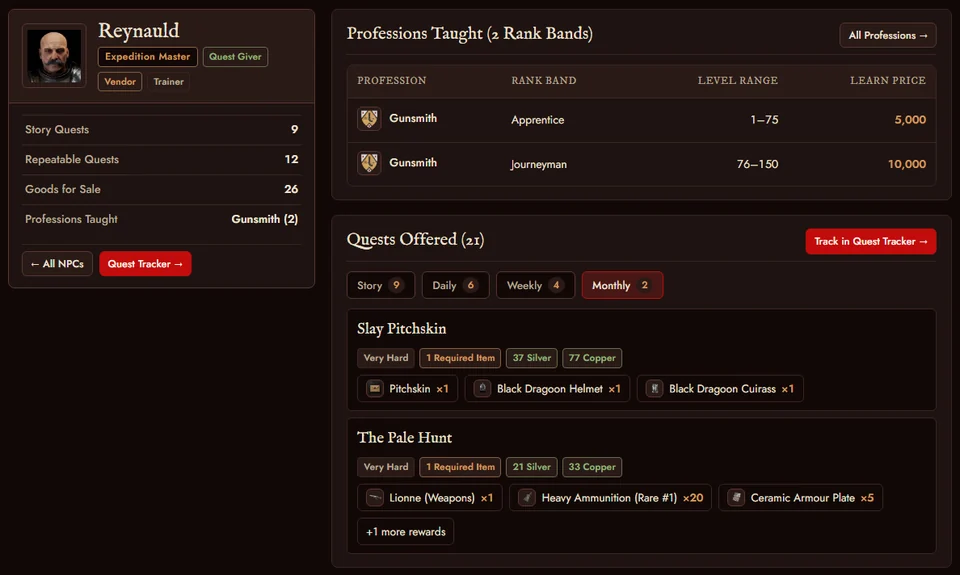
Speak with Reynauld, the Expedition Master in the Chateau, to open the Expedition Map and choose a mainland destination. Only the party leader can select an Expedition and commit the squad to matchmaking, so pass control with Promote to Leader if a friend wants to pick the route.
As soon as the leader locks in a destination, matchmaking runs quietly in the background while Reynauld arranges the run. Every member of the party stays free to walk around the Chateau, trade with vendors, craft gear, sort their Stash, or talk with NPCs during the wait.
Routes on the Expedition Map rotate on the hour across 1-hour, 3-hour, and 12-hour durations, shifting weather and lighting between clear mornings, heavy rain, dense fog, and night. Check the interactive Expedition maps before committing so your squad can plan landmarks and likely exit zones. When a server is found, a ten-second countdown begins, and when it hits zero the entire squad deploys together with no way to cancel.
If a teammate drops mid-run after an unintended disconnect, the Open Beta added support for reconnecting to an active Expedition. Visit our connection, crash, and bug fixes guide if anyone hits friend-list loading errors or server login failures.
Co-op Voice Chat and Squad Support Abilities
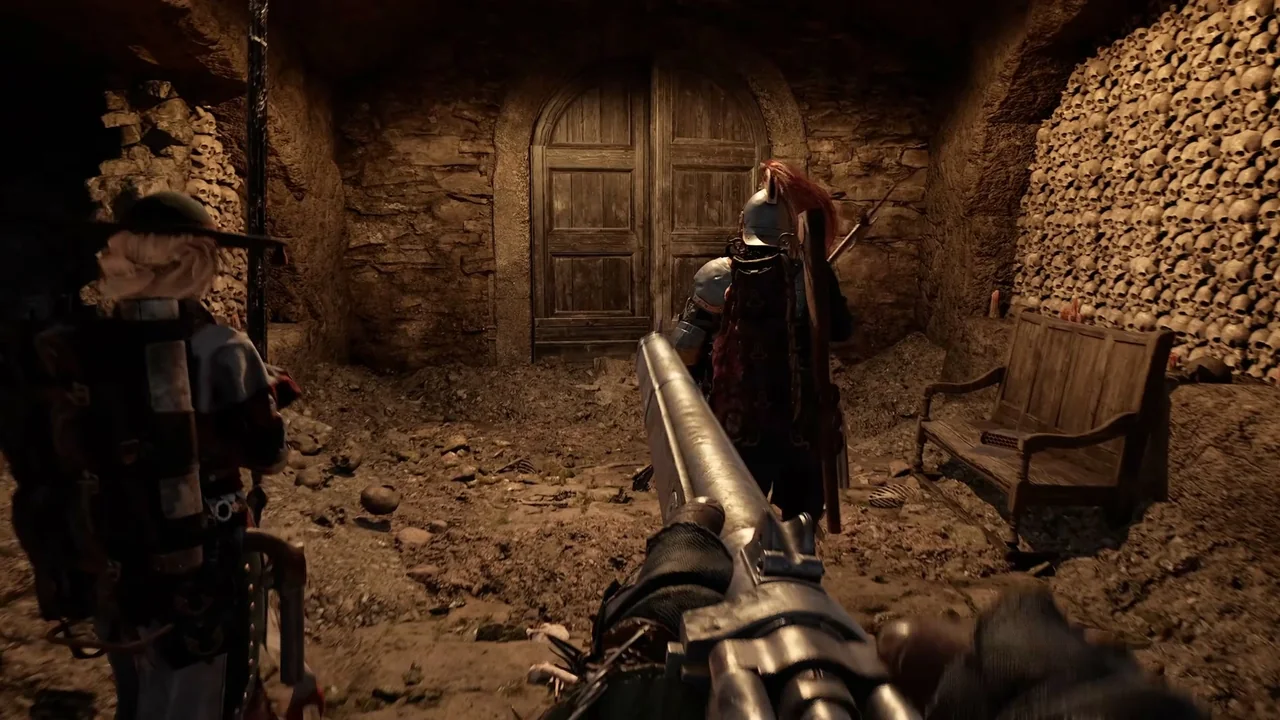
Proximity voice chat operates while your squad is out on Expeditions, but it is disabled inside the Chateau. Inside the audio settings, you can select your voice microphone and audio output device, adjust other players’ voice volume, toggle Mute Voice, and choose between always-active proximity chat or push-to-talk (bound to [V] by default).
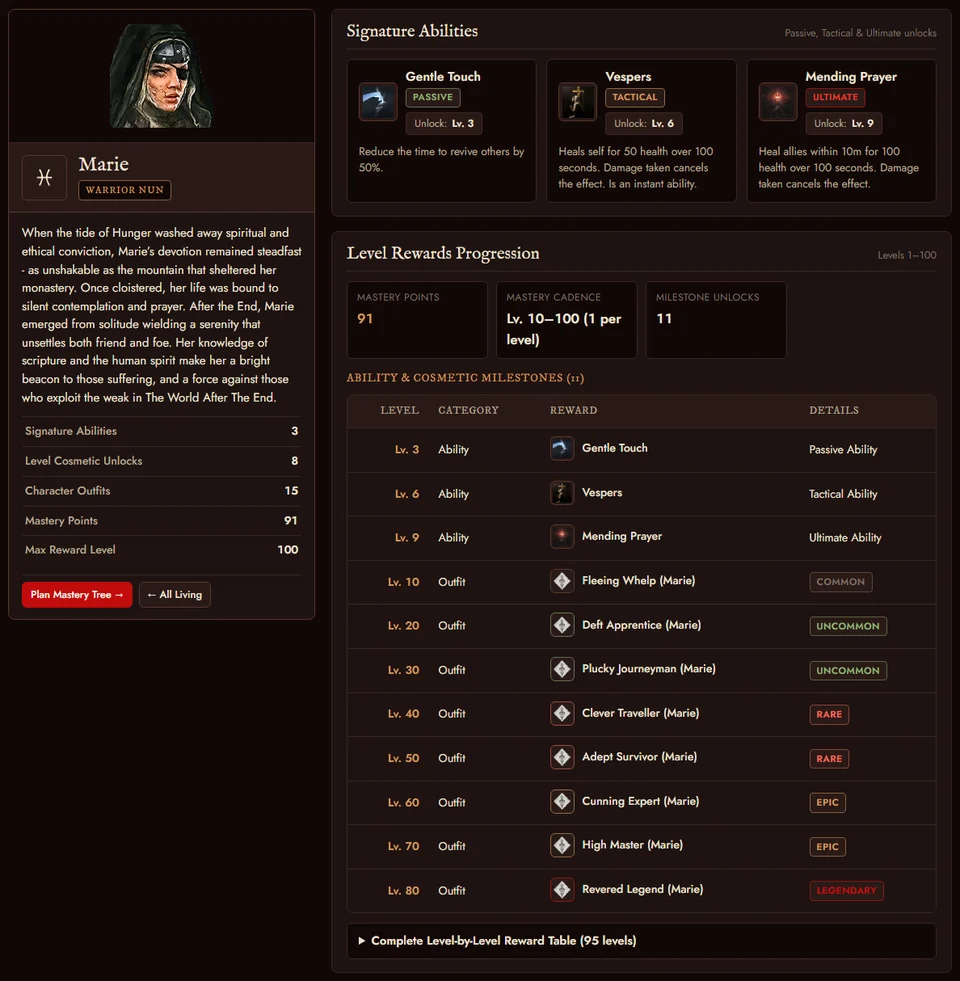
Downed teammates can be revived during an Expedition, and two of the six playable Living —  Marie and
 Abel — unlock abilities built specifically around keeping a party fighting. Marie unlocks
 Gentle Touch at Level 3 to cut revive time in half, then gains
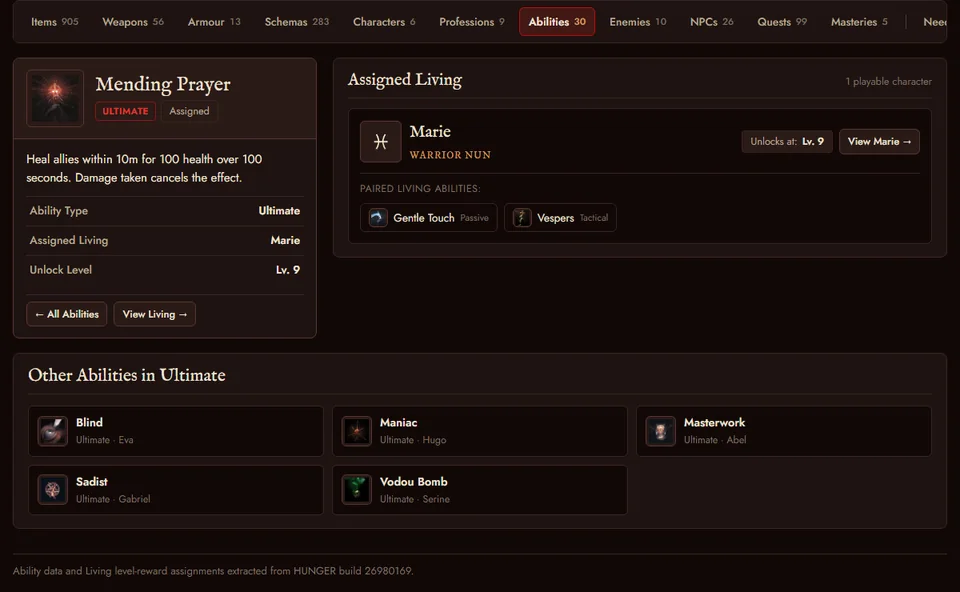
 Mending Prayer at Level 9 to heal nearby allies over time. Abel unlocks
 Field Repairs at Level 6 to restore an armour bar across nearby teammates.
| Ability | Living | Unlock level | Squad effect |
|---|---|---|---|
| Gentle Touch |
Marie |
Level 3 | Reduces the time required to revive others by 50%. |
| Field Repairs |
Abel |
Level 6 | Mends one bar of armour over 30 seconds for allies within 10 m; taking damage cancels it. |
| Mending Prayer |
Marie |
Level 9 | Restores 100 health over 100 seconds to allies within 10 m; taking damage cancels it. |
Late-game co-op builds can also reach Tier VIII in the  Survival mastery tree for Thaumaturge (your character’s single Tier VIII capstone), which automatically revives a downed ally within 8 m on a 5-minute cooldown.
Party Extraction Timers and Deadsmoke Rules
Extraction Points open progressively across an Expedition as each Extraction Balloon descends into one of a region’s more than 10 potential landing locations. Stepping into an active Extraction Zone starts a 30-second countdown, and leaving the perimeter does not wipe your progress immediately: the timer counts backwards instead (for example, stepping out for five seconds with five seconds left brings you back to ten seconds on re-entry) until it returns to 30 seconds.
In a squad, whoever crosses into an Extraction Zone first begins that 30-second countdown on behalf of everyone in the party. Teammates who arrive later inherit the shared timer’s progress, and any squadmate stepping in after the countdown has finished becomes eligible to leave immediately.
Finishing the timer never pulls the whole squad out automatically — each teammate has to walk up to the balloon and manually interact to exit. One teammate extracting does not take the rest of the squad with them, so groups can split up if someone gets pinned behind cover or drawn into a fight near the zone.
The red Deadsmoke warning at an Extraction Balloon only triggers when two or more separate parties stand inside the Extraction Zone at the same time. If your squad is the only group in the area, your presence will not activate Deadsmoke. Because it acts as a visual warning rather than an audio alarm, spotting red smoke tells approaching parties that a balloon is contested — though rival Living can still watch approach routes from outside detection range and ambush late arrivals.